
Extension / Add-on
jp343 Auto-track your immersion with cloud sync
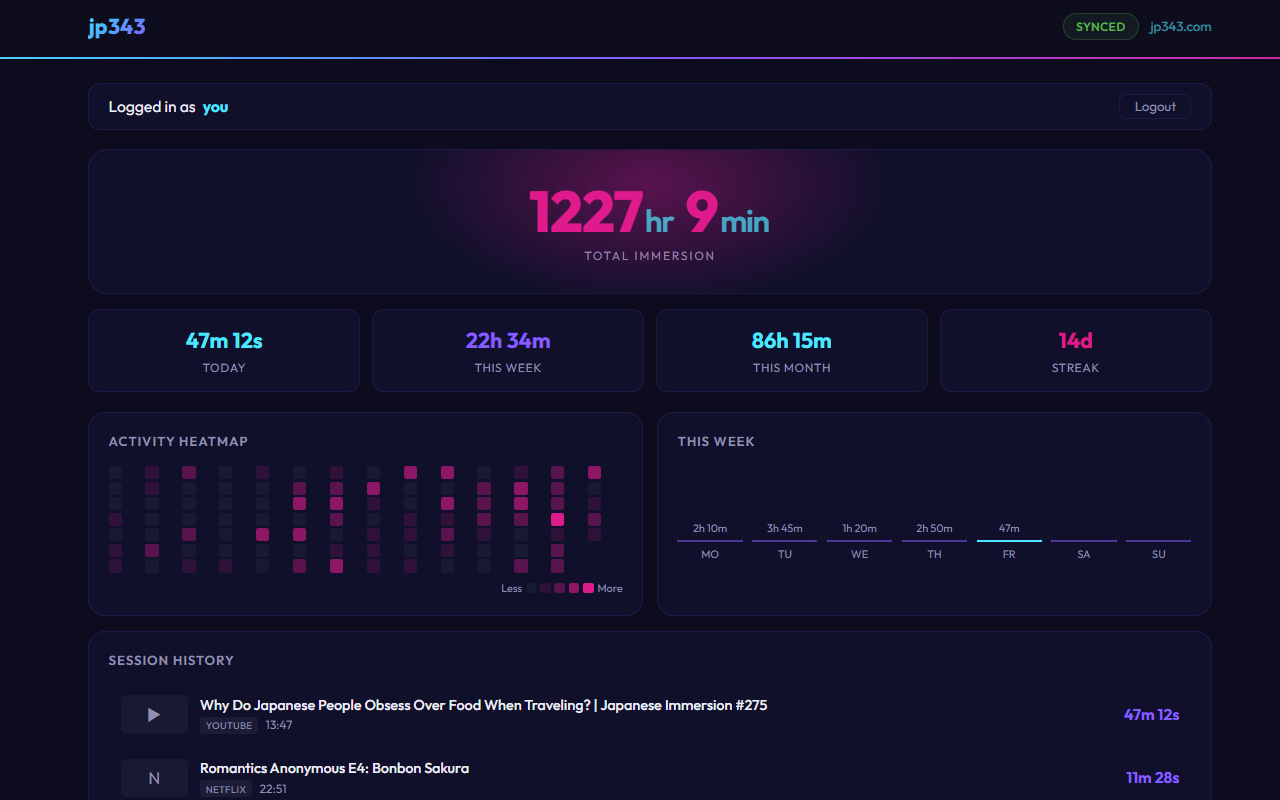
Browser extension that automatically tracks your immersion time across streaming sites and Spotify. Built-in dashboard with heatmap, streaks and session history. No manual timers, no spreadsheets, just play something and it starts tracking. Block channels you don't want counted. Everything works locally by default. Create a free account on jp343.com for cross-device sync, leaderboard and analytics. Open source. Works for any language.
- Extension / Add-on
Shared by meo343
Published ·Updated
Details
Track your immersion automatically — no manual input, no spreadsheets.
How it works
Install the extension, play something on a supported site, and it starts tracking in the background. Ads are detected and excluded from your time. If your browser crashes, the session is recovered on restart.
Built-in Dashboard
- Heatmap, streaks and full session history
- Block specific channels or titles from tracking
- Edit session titles anytime
Cloud Sync & Community
- Optional free account on jp343.com for cross-device sync
- Leaderboard to compare your hours with other learners
- Detailed analytics and progress tracking
Privacy first
Works fully offline with no data collection. Your data stays in your browser unless you choose to sync.
Free for Chrome, Edge and Firefox.
Install:
- Firefox
Setup
1. Install from Chrome Web Store or Firefox Add-ons
2. Play something on a supported streaming site
3. The tracker starts automatically in the background
4. Open the popup to see your stats or visit jp343.com for the full dashboard